
Building a Practical Custom ERP with Google Apps Script and Cloud SQL
How we escaped 'Spreadsheet Hell' by engineering a zero-licensing cost, scalable ERP using Google Apps Script and Cloud SQL.
TL;DR
- Goal: Build a custom, cost-effective hybrid ERP system that fits unique business processes, replacing expensive and inflexible off-the-shelf SaaS.
- Tech Stack: Vanilla JS + Google Apps Script (API Gateway) + Cloud SQL (MySQL 8.0)
- Key Achievements: Mitigated Apps Script latency (from 10s down to 3s) using MySQL JSON aggregation and multi-layered caching; achieved zero concurrency conflicts with Optimistic Concurrency Control (OCC).
1. The Background
My background lies in data analysis, strategy, and business intelligence. I know that for management to make informed decisions, data must be centralized and accessible. Initially, I built a lightweight, automated workflow using basic Google Sheets and Apps Script. It worked perfectly for our small team. However, as our organization scaled rapidly, the volume of project tracking files and financial milestones grew exponentially, and we eventually accumulated over 400 active Google Sheets.
2. The Problem: Breaking Data Silos
As the number of spreadsheets exceeded 400, we hit a critical breaking point known as “Spreadsheet Hell.”
- Performance Degradation (IMPORTRANGE Limits): To connect 400+ sheets, we heavily relied on
IMPORTRANGEformulas. This caused severe performance bottlenecks. Sheets took several minutes to sync, and frequent timeout errors made it impossible for users to work efficiently. - Data Integrity & Failed Backups: With multiple users simultaneously editing shared sheets, accidental formula deletions and data overwrites were a daily occurrence. To mitigate this, I built a script to backup the sheets to a SQL server periodically. However, due to the inherent read/write inefficiencies and rate limits of the Google Sheets API, this backup flow constantly failed and could not guarantee data integrity.
- The Failure of Off-the-Shelf SaaS: We considered migrating to industry-standard ERPs (like NetSuite or Deltek) or customizable platforms (like Smartsheet). However, these adoptions were unsuccessful. They were prohibitively expensive, lacked support for our highly specific internal workflows, and were bloated with unnecessary features that only confused end-users.
As a Technical Product Manager, I recognized this bottleneck. The solution wasn’t to force another rigid SaaS onto the team, but to build a custom system that kept the familiar Google Workspace ecosystem while drastically enhancing the frontend UX and migrating the backend entirely to a robust relational database (Cloud SQL). By providing a centralized UI, we could organically prevent users from creating rogue spreadsheets and permanently solve the data fragmentation crisis.
3. The Tech Stack
To build a scalable, cost-effective system without licensing fees, I utilized the following hybrid stack:
- Frontend: Vanilla JS (SPA) + HTML/CSS for maximum UI flexibility.
- API Gateway: Google Apps Script (V8) for free serverless routing and Google SSO integration.
- Database: Google Cloud SQL (MySQL 8.0) for strict relational data modeling.
- AI Acceleration: Google Gemini and Claude Opus for rapid SDLC orchestration.
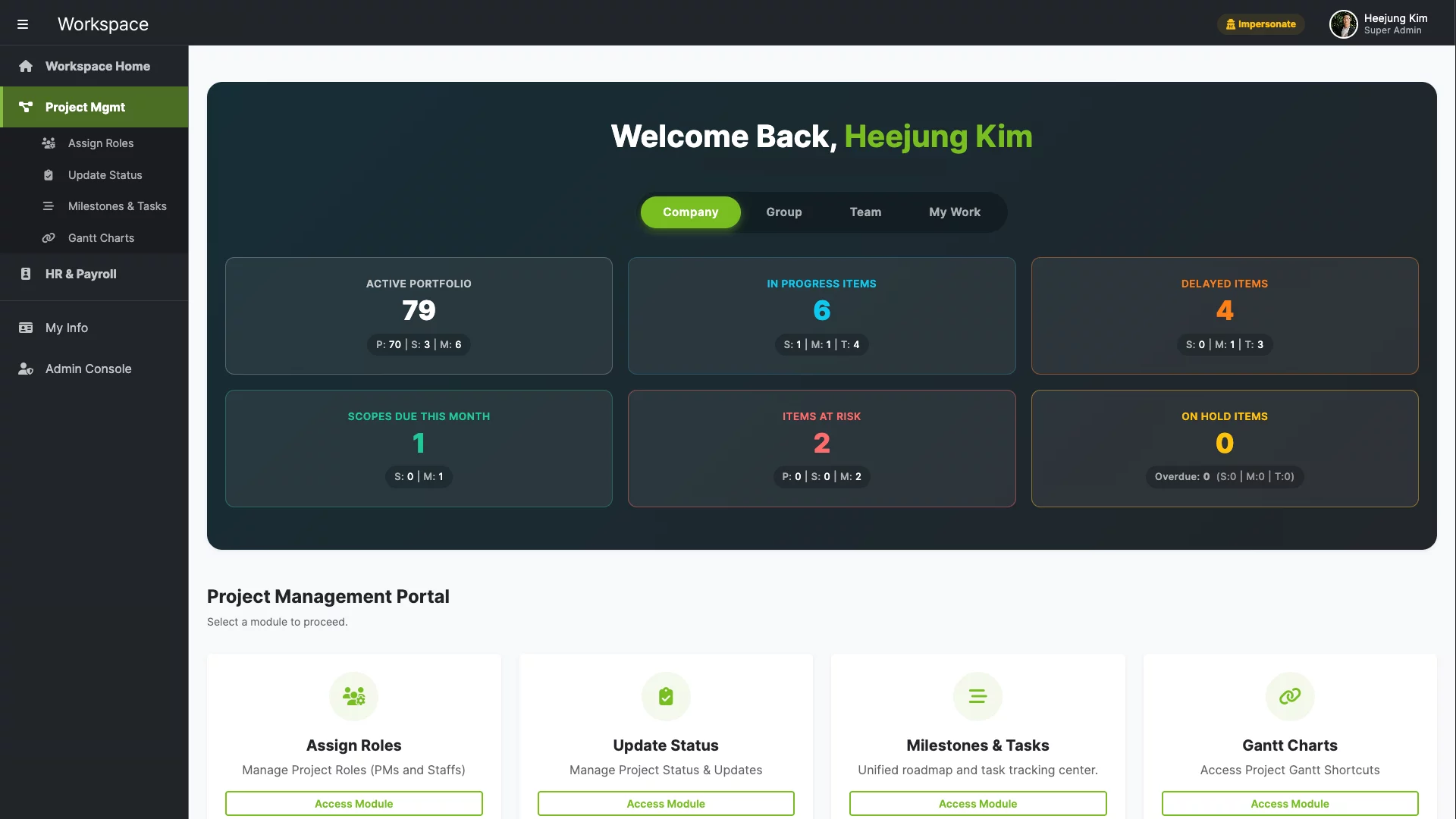
4. The Strategy: Strategic AI Orchestration
Rather than brute-forcing the development solo, I acted as an orchestrator of AI models to overcome limited internal resources. Because the backend relied on Google Apps Script (GAS), I utilized Gemini, which inherently possesses a deeper understanding of Google’s proprietary APIs. For designing complex database schemas and Optimistic Concurrency Control (OCC) logic, I deployed Claude Opus, capitalizing on its superior architectural reasoning.
Rather than brute-forcing the development solo, I acted as an orchestrator of AI models to overcome limited internal resources. Because the backend relied on Google Apps Script (GAS), I utilized Gemini, which inherently possesses a deeper understanding of Google’s proprietary APIs. For designing complex database schemas and Optimistic Concurrency Control (OCC) logic, I deployed Claude Opus, capitalizing on its superior architectural reasoning.
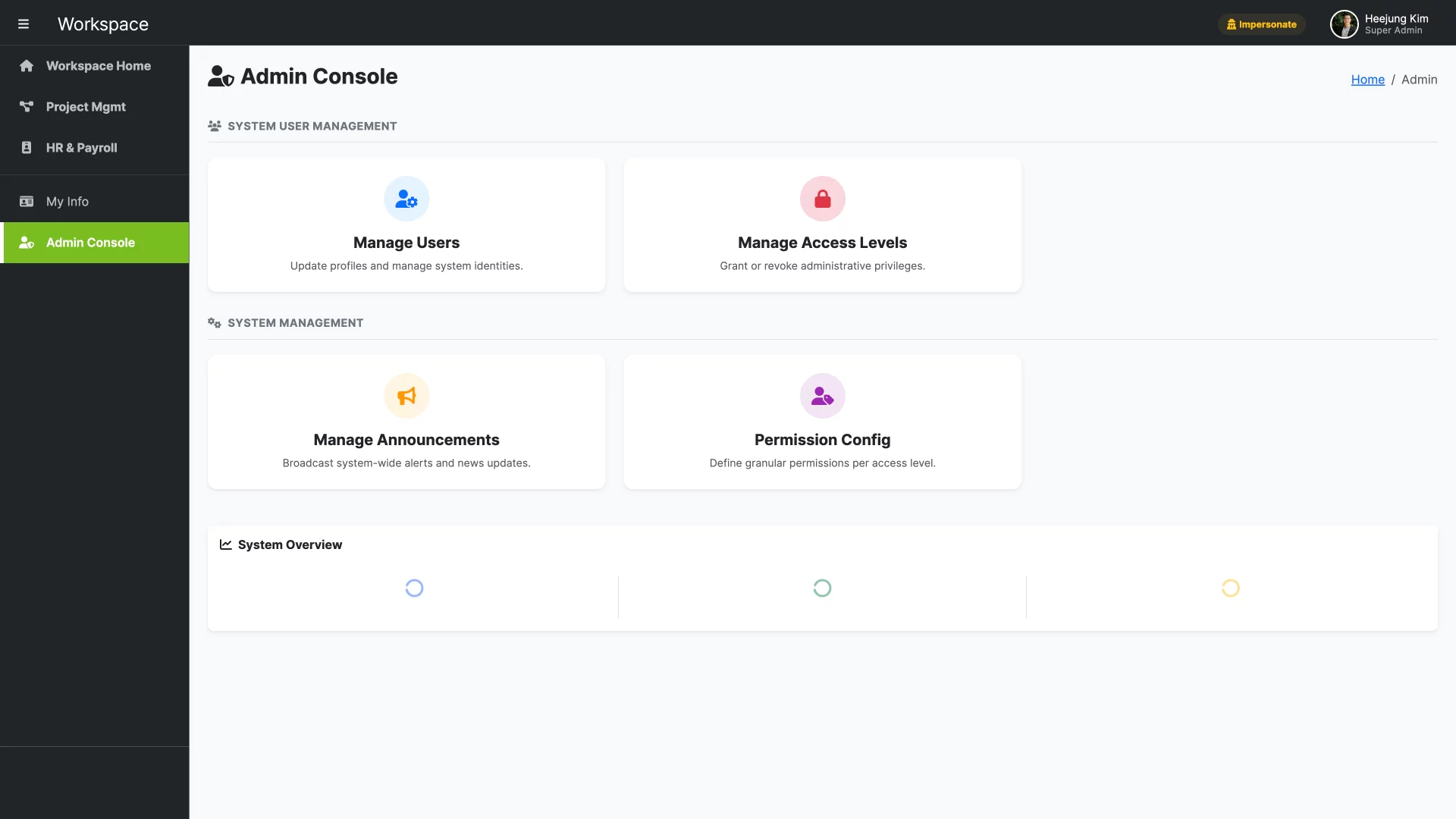
5. The Solution Architecture: UX & Scalability
Using GAS as an enterprise backend comes with severe platform constraints. I designed the architecture to proactively solve major bottlenecks while mitigating risk:
- The UX Mandate (Solving JDBC Latency): Connecting to Cloud SQL from GAS takes 3 to 5 seconds. Waiting 10+ seconds to load a page is functionally unacceptable. To prevent users from abandoning the app, I designed a multi-layered middleware caching architecture to drop response times to under 3 seconds.
- Strict RDBMS over NoSQL for Data Integrity: While NoSQL databases (like Firestore) offer zero JDBC latency, I explicitly chose MySQL. ERP systems require absolute data consistency (ACID compliance) and complex multi-joins. For an SMB environment of ~100 users, the massive horizontal scaling of NoSQL is unnecessary, whereas the structural integrity of a relational database is non-negotiable.
- Integrating Proven External Systems (e.g., QuickBooks): Accounting data requires absolute accuracy. Rather than arrogantly building a custom accounting module from scratch, I designed the architecture to fetch data from proven external software like QuickBooks.
- Decoupled Design for Future Cloud Migration: Relying on GAS was an intentional strategy to mitigate the risk and resource cost of building a custom ERP. For our current scale (50-75 active users), GAS handles the concurrency without issue. However, once the system proved its ROI, the plan was always to migrate to a dedicated cloud backend. By standardizing the DB and frontend, migrating the API gateway to Node.js will require minimal refactoring.
- Native Enterprise Security (Google Workspace SSO): Because the system runs entirely within our corporate Google Workspace domain via GAS, it inherently leverages Google’s enterprise-grade Single Sign-On (SSO). I didn’t need to engineer a custom authentication layer, ensuring strict internal security with zero maintenance overhead.
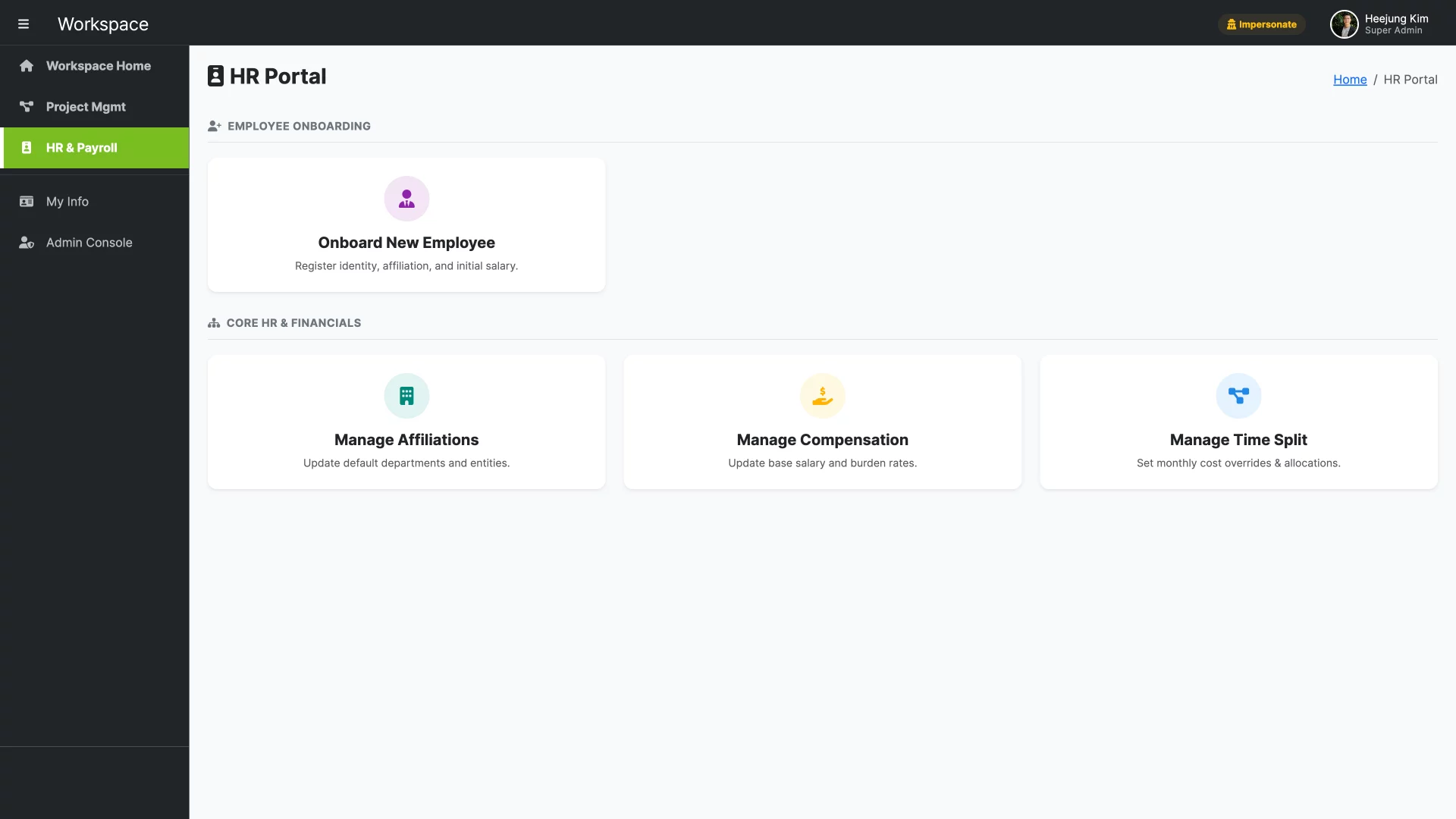
6. Technical Deep-Dive 1: Bypassing Latency
To minimize slow JDBC network round-trips, I shifted the data transformation workload from the serverless container directly to the database engine. Using JSON_ARRAYAGG and JSON_OBJECT in MySQL, the database formats complex relational joins into a single, pre-structured JSON payload. The GAS API Gateway then aggressively caches this payload in memory via Google’s CacheService (Write-Through cache). Read requests now bypass the DB entirely. Furthermore, to prevent “Cold Starts”—a notorious issue in serverless environments where idle containers take seconds to spin up—I implemented a 15-minute time-driven trigger to ping the JDBC pool and keep the memory cache warm.
-- Proof of Concept: Executing JSON transformations directly at the DB engine
SELECT JSON_ARRAYAGG(
  JSON_OBJECT(
    'userId', u.user_id,
    'fullName', TRIM(CONCAT(COALESCE(u.first_name, ''), ' ', COALESCE(u.last_name, ''))),
    'permissions', (
      SELECT JSON_OBJECTAGG(permission_key, permission_value)
      FROM role_permissions_table
      WHERE role_id = u.access_level
    )
  )
) AS payload FROM users u WHERE u.status = 'ACTIVE';
// Proof of Concept: Serverless Warm-up Trigger preventing Cold Starts
function keepInstanceWarm() {
  const conn = getDbConnection();
  try {
    conn.createStatement().executeQuery("SELECT 1"); // Ping JDBC pool
    preloadUserCache(); // Warm up ScriptCache memory
  } finally {
    if (conn) conn.close();
  }
}
7. Technical Deep-Dive 2: Concurrency & Data Integrity
In an enterprise ERP, multiple project managers frequently edit the same roadmap simultaneously. Without strict concurrency control, silent overwrites (Lost Updates) occur. I implemented an Optimistic Concurrency Control (OCC) mechanism using a centralized sys_table_metadata table. When a user clicks “Save,” the client’s payload version is compared against the server’s current version. If they mismatch, the transaction safely rolls back.
// Proof of Concept: Backend OCC logic validating metadata version before committing
const check = validateModuleVersion('ERP_MODULE_NAME', clientVersion, conn);
if (!check.isValid) {
  throw new Error("VERSION_MISMATCH: Data out of date. Server version: " + check.currentServerVersion);
}
// Commit transaction and update metadata version (+1)
updateModuleVersions(conn, 'ERP_MODULE_NAME', newVersion, userId);
8. Advanced UX & Security: RBAC and Auto-fill
As a data professional, having highly granular data is the ultimate goal. However, forcing end-users to manually select 5 different categories and IDs for every entry leads to data entry fatigue. To strike a balance between rich data quality and seamless usability, I implemented relationship-based auto-fill in the frontend. If a user selects a specific “Project Code,” the UI automatically fetches and populates the associated Client ID, Division, and Default Milestones in the background. Furthermore, I implemented Role-Based Access Control (RBAC) to drastically improve both UX and security. Users are only shown the modules and buttons necessary for their specific role, preventing cognitive overload. Security-wise, I engineered a strict 3-layer defense mechanism: 1) Frontend visual blocking (hiding UI), 2) Server-side routing blocks, and 3) Backend API call validation, ensuring absolute data protection against unauthorized access.
// Proof of Concept: Server-Side Routing Block & Native SSO Validation (Layer 1 & 2 Security)
function doGet(e) {
  // 1. Native Google SSO Identity (Cannot be spoofed from the frontend)
  const userEmail = Session.getActiveUser().getEmail().toLowerCase();
  const userDomain = userEmail.split('@')[1];

  // Strict Corporate Domain Restriction
  if (!['company.com', 'subsidiary.com'].includes(userDomain)) {
    return HtmlService.createHtmlOutput(getAccessDeniedHtml());
  }

  // 2. Fetch Centralized RBAC Permissions from DB
  const userData = getUserRoleByEmail(userEmail);
  const perms = userData.permissions || {};
  const isAdmin = (userData.accessLevel === 'SUPER_ADMIN' || userData.accessLevel === 'ADMIN');

  // 3. Server-Side Routing Block (Prevents unauthorized HTML rendering)
  let page = e.parameter.page || 'home';
  let content = '';

  switch (page) {
    case 'financial_dashboard':
      // Evaluate module-level permissions
      if (isAdmin || perms.viewFinancials === 'ALL') {
        content = renderTemplate('Financial_Dashboard_Page', userData);
      } else {
        content = getAccessDeniedHtml(); // Hard block at the server level
      }
      break;
    default:
      content = renderTemplate('Common_Home_Page', userData);
  }
  return HtmlService.createTemplate(content).evaluate();
}
9. Conclusion
Building a custom ERP is not just about writing code; it’s about solving business bottlenecks. By prioritizing UX to prevent rogue spreadsheets, engineering a decoupled architecture for future scalability, and intelligently integrating AI and external APIs, I delivered an enterprise-grade platform at zero licensing cost. This project proves that with the right architectural mindset, you don’t need massive budgets to build systems that perfectly align with your business.